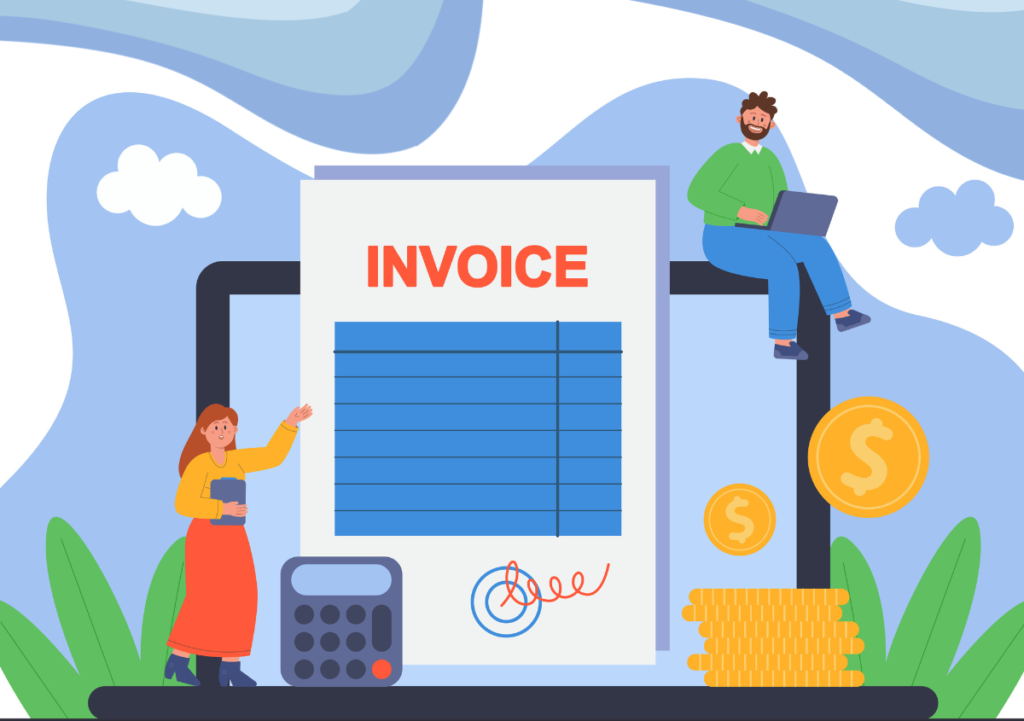
If your accounts payable team is still manually keying invoice data, chasing approvals via email, and reconciling purchase orders by hand, you’re not just losing time; you’re losing a lot of money. And probably a few good employees, too.
Invoice processing is one of the most labor-intensive activities in corporate finance, and also one of the most error-prone.
A survey by Ardent Partners found that the average AP team spends 60% of its time on manual, exception-based work.
That’s 60% of skilled finance professionals’ time spent on work that software can largely handle on its own.
So, what exactly does invoice automation look like in practice? And how does it fit into the broader procure-to-pay cycle? Let’s break it down from start to finish.
The Problem with Manual Invoice Processing
To understand why invoice automation matters, you need to first understand what manual invoice processing actually involves. A supplier sends an invoice by email, by post, or through a portal. Someone in AP opens it, checks the invoice number, compares it to the purchase order, checks the goods receipt note, calculates whether the amounts match, routes it to the budget owner for approval, waits for a response, keys the data into the ERP, and schedules payment.
At every step, there’s an opportunity for error, delay, or fraud. Duplicate invoices. Mismatched PO numbers. Wrong GL codes. Approval bottlenecks. Late payment penalties. Missed early payment discounts. According to IOFM, the average cost to process a single invoice manually is between $12 and $30. For a company processing 5,000 invoices a month, that’s up to $150,000 in monthly processing costs alone.
What Is Invoice Automation?
Invoice automation is the use of technology, specifically AI, OCR, and machine learning, to capture, validate, match, route, and process supplier invoices with minimal or zero human intervention. The goal is what’s sometimes called ‘near-touchless processing’.
An invoice enters the system and exits as a validated, approved payment without anyone touching it manually.
Modern automated invoice processing software handles all invoice types – PO-backed invoices (where there’s a corresponding purchase order), non-PO invoices (for services or ad hoc purchases), and milestone-based invoices (for project-based contracts).
Step-by-Step: How Invoice Technology Works
Step 1 – Invoice Capture and Intelligent Data Extraction
Invoices arrive through multiple channels: email, supplier portal, EDI, or direct upload. The invoice automation system ingests all of them. Using advanced OCR and AI-powered invoice technology, the system extracts key fields like invoice number, date, supplier name, line items, amounts, tax codes, and payment terms with a high degree of accuracy.
Unlike legacy template-based OCR that requires a separate template for each supplier layout, modern AI-based invoice technology learns and adapts across different formats, making it far more scalable and reliable.
Step 2 – Duplicate Invoice Detection
Before any processing begins, the system checks for duplicates. Invoice fraud and duplicate payment are among the most common and costly AP errors. According to the ACFE, duplicate billing accounts for a significant proportion of asset misappropriation fraud. Automated invoice processing software flags duplicates instantly, rejecting them before they enter the workflow. This will be triggered to draw the attention of the respective reviewer for suitable action.
Step 3 – Automated PO Matching (2-Way, 3-Way, and 4-Way)
This is the technical heart of AP invoice automation. The system automatically compares the invoice against related documents to validate accuracy. In a two-way match, the invoice is compared against the purchase order. In a three-way match, it’s compared against both the PO and the goods receipt note or GRN, confirming the goods were actually delivered. A four-way match adds inspection records to verify that the goods meet specifications.
Any discrepancies like wrong quantities, price variances, or missing POs are flagged as exceptions, and AI-driven suggested resolutions guide the AP team toward a quick fix. This replaces hours of manual cross-referencing with seconds of automated validation.
Step 4 – Tax Compliance and VAT Validation
The procure-to-pay process has significant tax implications that manual teams frequently mishandle. Automated invoice processing platforms conduct real-time, geolocation-based sales tax and VAT audits on each invoice, ensuring compliance with local regulatory requirements. They also generate VAT reclamation reports to help companies recover input tax credits, a meaningful source of recovered revenue for international businesses.
Step 5 – Dynamic Approval Workflows
Once validated, the invoice is automatically routed through the appropriate approval workflow based on its characteristics, such as amount, cost center, supplier, and invoice type. The system supports multi-level approvals and parallel cost-center-based approvals, which compress approval timelines significantly.
This is particularly important for invoices with early payment discounts attached. If a supplier is offering a 2% discount for payment within 10 days, the invoice needs to be approved and paid quickly. Automated routing ensures discount-eligible invoices are prioritized and processed before the discount window closes.
Step 6 – ERP Integration and Payment Processing
Once approved, the validated invoice data flows directly into the ERP system, syncing with vendor master records, GL accounts, cost centers, and accounts payable subledgers. No manual data entry. No reconciliation between systems.
For payment, a comprehensive procure-to-pay automation platform supports multiple payment rails like ACH, wire transfer, virtual cards, and more, thereby enabling on-time payments to suppliers anywhere in the world, in their preferred currency.
The Vendor Portal: Making Suppliers Part of the Solution
One often-underestimated component of invoice automation is the vendor portal. When suppliers can submit invoices, track PO status, and monitor payment progress through a self-service portal, invoice processing accelerates dramatically. Suppliers submit cleaner data, query volumes drop, and payment disputes decrease.
The best platforms also enable bi-directional early payment discount management through the portal. Suppliers can request accelerated payment on specific invoices, and buyers can approve or decline based on their cash position. This is something InvoiceAnywhere comes with and has helped many global companies save millions of dollars through early payment discounts.
The ROI of Automated Invoice Processing Software
The numbers are compelling. A study by Aberdeen Group found that best-in-class companies using automated invoice processing software reduce their invoice processing costs by 80% compared to manual methods and achieve straight-through processing rates exceeding 70%.
Beyond direct savings, the indirect benefits are substantial:
- Improved supplier relationships, as suppliers get paid accurately and on time.
- Better cash flow management, as you know exactly what you owe and when.
- Reduced audit risk, as there are complete digital audit trails available.
- Freed-up AP staff to focus on strategic activities.
FAQs
Automated invoice processing is the use of AI, OCR, and machine learning to capture, validate, match, and route supplier invoices without manual data entry. It handles all invoice types like PO, non-PO, and milestone-based, and integrates with ERP systems for seamless payment execution.
Invoice automation focuses specifically on the supplier invoice processing workflow like capture, matching, approval, and payment. Procure-to-pay automation (P2P) is broader, covering the entire procurement cycle from purchase requisition through purchase order, goods receipt, invoice processing, and payment.
When automated invoice processing software detects a discrepancy, such as a price variance or a missing PO, it flags it as an exception and routes it to the appropriate reviewer. AI-powered systems provide suggested resolutions, dramatically reducing the time spent manually investigating and resolving exceptions.
Yes. Modern AI-based invoice technology like InvoiceAnywhere uses adaptive machine learning rather than rigid templates, enabling it to extract data accurately from invoices in virtually any format, layout, or language. This makes it far more scalable than legacy OCR systems.
An expense invoice is an invoice received for employee-related or operational expenses rather than product purchases. These are typically non-PO invoices processed through a cost center approval workflow. Automated invoice processing software handles them alongside standard supplier invoices, routing them through the appropriate approval chain based on configurable business rules.