Accessible Expense Software: The Quiet Design Choice That Separates the Best Expense Management Software from Everything Else
Contents
- 1. The Legal Ground Has Shifted Faster Than Most Finance Teams Realize
- 2. What “Accessible” Actually Means for Expense Software
- 3. How Employee Expense Management Software Reduces Fraud – And Why Accessibility Is Part of That Story
- 4. What to Look for When Evaluating the Best Expense Management Software 2026
- 5. The Business Case Beyond Compliance
- 6. The CXO Takeaway
- 7. FAQs
- 8. Share:
- 9. Recent Post
- 10. 2-Way vs. 3-Way vs. 4-Way PO Matching: Eliminating AP Invoice Bottlenecks
- 11. Global Employee Reimbursement: Managing Multi-Currency Payouts and Cross-Border Tax Rules
- 12. Preventing Expense Fraud: How Real-Time Policy Engines Catch Violations Pre-Submission
Ask most finance, HR, or IT leaders what makes expense software “good,” and you’ll get the same three answers: it’s fast, it integrates with the ERP, and employees don’t complain about it. Almost nobody says “it works for every employee, regardless of ability”, and that’s exactly the blind spot costing organizations money, goodwill, and increasingly, legal exposure.
Accessible expense software isn’t a niche compliance topic bolted onto a product roadmap. It’s a design discipline that, done right, makes the entire system better for everyone who touches it, not just the employees who rely on assistive technology.
The Legal Ground Has Shifted Faster Than Most Finance Teams Realize
If your last accessibility review happened more than eighteen months ago, the landscape you reviewed no longer exists.
Digital accessibility litigation hit its highest volume ever recorded in 2025, with over 5,100 federal ADA cases filed, a 37% jump from the roughly 3,700 filed in 2024. That growth trajectory, from roughly 800 cases in 2018, represents a compound annual growth rate near 30%, and nothing in the current regulatory environment suggests it’s slowing. Revenue size offers no real shelter either. 36% of companies sued in the first half of 2025 reported annual revenue exceeding $25 million, up from 33% the year before.
For enterprise software specifically, the category your expense management software sits in, the exposure isn’t just about your public website. It’s about every internal tool an employee with a disability is required to use to get reimbursed for their own money. An inaccessible expense reimbursement workflow isn’t just a UX gap; for an employee who relies on a screen reader or keyboard-only navigation, it can be a functional barrier to getting paid back for money they’ve already spent.
What “Accessible” Actually Means for Expense Software
Accessibility in this context isn’t about adding a widget or an overlay, and the data on overlays is damning. Regulators have already taken action here. The FTC reached a $1 million settlement in 2025 against a major overlay provider for marketing overlay widgets as guaranteed compliance solutions that, in practice, left real barriers in place. Genuine accessibility means the product is built, at the code level, to work with screen readers, full keyboard navigation, sufficient color contrast, and properly labeled forms, the exact categories most frequently cited in 2025 accessibility complaints: missing alt text (89% of complaints), missing form labels (72%), insufficient color contrast (68%), and keyboard navigation failures (61%).
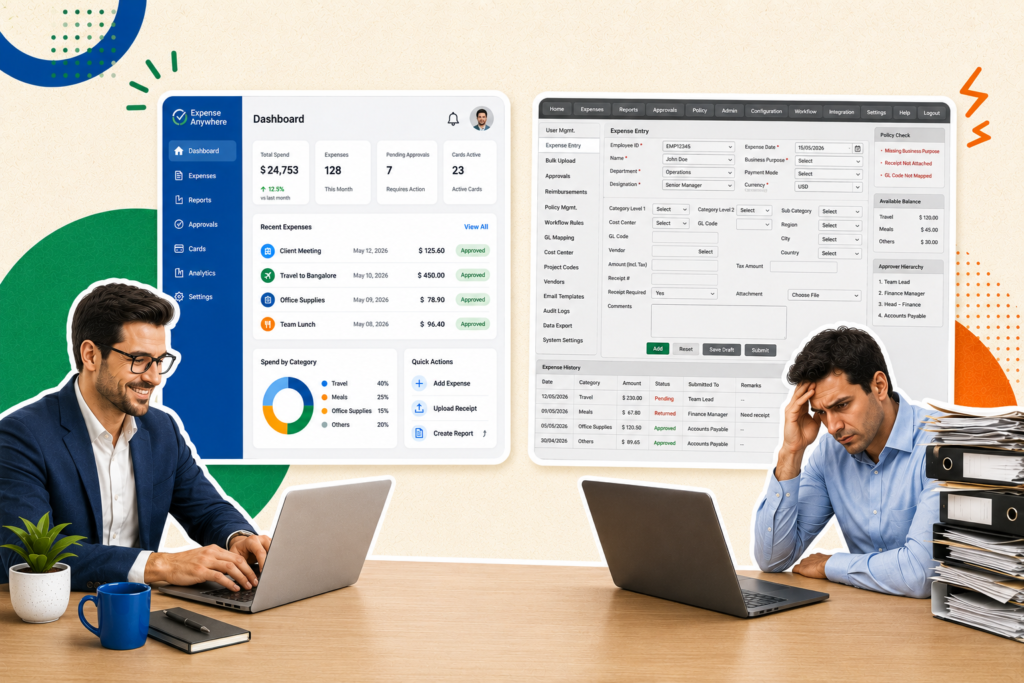
Translate that into an expense workflow and the stakes become concrete. A receipt upload button that only responds to a mouse click locks out an employee who navigates by keyboard. A mileage form with unlabeled fields is unusable by anyone relying on a screen reader to understand what information belongs where. A low-contrast approval dashboard is genuinely hard to read for a manager with low vision, and mildly annoying for everyone else squinting at it under office fluorescent lighting.
How Employee Expense Management Software Reduces Fraud – And Why Accessibility Is Part of That Story
Here’s the connection most vendors miss – how employee expense management software reduces fraud and how it becomes genuinely accessible are more related than they look.
Fraud thrives in friction and ambiguity. The ACFE’s 2024 Report to the Nations found that organizations lose an estimated 5% of annual revenue to occupational fraud, with expense reimbursement schemes remaining a persistent category of asset misappropriation, and with the typical fraud scheme running undetected for roughly a year before discovery. A confusing, inconsistent, hard-to-navigate expense process doesn’t just frustrate honest employees; it creates the ambiguity that makes fraudulent submissions harder for reviewers to spot, because everyone’s workaround looks slightly different.
Well-designed expense management software, accessible by default, enforces consistency precisely because every employee, regardless of ability, is guided through the same clear, structured, properly labeled workflow. Clear field labels that help a screen reader user also help every reviewer auditing that submission later. Logical, keyboard-navigable form structure reduces the “I couldn’t figure out where to attach the receipt, so I just wrote the amount in the notes field” workarounds that make manual review and fraud detection so much harder. Accessibility, in other words, isn’t a parallel initiative to fraud prevention. It’s a contributing input to it.
What to Look for When Evaluating the Best Expense Management Software 2026
If you’re benchmarking vendors this year, accessibility deserves its own line item on the evaluation scorecard, not an afterthought buried in an RFP appendix. A few concrete things to check:
Screen reader compatibility across the full workflow – not just the login page, but receipt capture, mileage entry, approval routing, and card charge review. Vendors will happily show you an accessible homepage. Ask them to demo the actual expense report submission flow with a screen reader running.
Keyboard-only navigation, tested end to end. Can an employee complete an entire expense report, including mileage calculation and receipt attachment, without touching a mouse? If the vendor hesitates, that’s your answer.
Color contrast that meets WCAG 2.2 AA standards, particularly on approval dashboards and exception flags, where a manager needs to distinguish urgent items from routine ones at a glance.
Mobile accessibility, not just desktop. A large share of business expense tracking software usage now happens on mobile, especially for field employees and sales reps capturing receipts on the go. Accessibility gaps that get patched on desktop often persist, unaddressed, in the mobile app.
This standard applies whether you’re evaluating a broad expense reimbursement software platform, a credit card expense management software tool tied to corporate cards, or a more general expense software suite covering the full T&E lifecycle.
The Business Case Beyond Compliance
Accessibility pays for itself in ways that have nothing to do with avoiding a lawsuit. Organizations that treat accessibility as a genuine design principle, not a bolt-on, routinely find it improves usability for everyone: clearer navigation, better-structured forms, and more logical flows benefit the employee rushing through an expense report between meetings just as much as the employee using assistive technology. It’s the same principle behind curb cuts on sidewalks: designed for wheelchair access, used by everyone pushing a stroller, rolling a suitcase, or riding a bike.
For HR and IT leaders specifically, accessible expense software also reduces support burden. A workflow that’s genuinely intuitive for every employee, including those using assistive technology, generates fewer help desk tickets, fewer “I can’t figure out how to submit this” escalations, and fewer manual workarounds that finance then has to untangle at month-end.
The CXO Takeaway
Accessibility in finance software used to be a niche legal concern owned by IT compliance. In 2026, with ADA litigation growing at a 30% compound annual rate, and regulators actively penalizing shortcut “compliance” solutions, it has become a genuine enterprise risk category, and, more constructively, a genuine product quality signal. The best expense management software 2026 has to offer isn’t the platform with the flashiest dashboard. It’s the platform that works, cleanly and consistently, for every single employee who has to use it.
FAQs
Genuine accessible expense software is built at the code level to support screen readers, full keyboard navigation, WCAG 2.2 AA-compliant color contrast, and properly labeled form fields across the entire workflow, not just the login screen. Accessibility overlays and widgets, by contrast, have been shown not to reduce real-world usability barriers or legal exposure.
Consistent, well-labeled, accessible workflows reduce the ambiguity and improvised workarounds that make fraudulent submissions harder to distinguish from legitimate ones. When every employee, regardless of ability, follows the same clear, structured process, exception review and fraud detection both become more reliable.
Both. While most publicized ADA litigation targets public-facing websites, internal enterprise software, including expense reimbursement software employees are required to use, carries similar accessibility obligations, particularly for organizations with disabled employees who need to interact with the system as a condition of getting reimbursed.
At minimum: screen reader compatibility across the full submission and approval workflow, full keyboard navigation, WCAG 2.2 AA color contrast compliance, and mobile accessibility parity with desktop. Ask vendors to demo the actual workflow with assistive technology running, not just show you a compliance statement.
Yes. Any workflow an employee must complete, like reconciling card charges, attaching receipts, or flagging disputed transactions, carries the same accessibility requirements as broader expense reimbursement software. Card charge review dashboards, in particular, often rely heavily on color coding, which makes contrast and non-color-dependent indicators especially important.
Share:
Recent Post



Know about the latest happenings in the fintech automation.
Click below to subscribe to our newsletter!
-
Near-Touchless
Operation - One-Click Fully Audited Reports
-
Seamless ERP & TMC
Integrations
-
Automated 2/3/4-Way PO
Matching - Effortless Vendor Onboarding
-
Globally-Accepted Smart
Prepaid Cards