Let’s be honest, manual accounts payable is a grind. If your team is still drowning in a sea of paper, PDFs, and “Where is this invoice?” emails, you have probably already looked into an automated accounts payable system.
But here’s the kicker: implementing AP automation solutions isn’t a “set it and forget it” magic trick. Many enterprises jump into the deep end only to find themselves doing “manual work 2.0” because of a few avoidable blunders.
Research from Ardent Partners shows that “Best-in-Class” organizations process invoices in just 3.1 days, while others take a staggering 17.4 days. The difference? It’s not just having the software; it’s avoiding the common traps that kill ROI.
Here are the top 7 AP automation mistakes enterprises make, and the smart ways to avoid them.
1. The “Partial Automation” Purgatory
Many companies automate the easy stuff, like scanning, but leave the complex approvals to manual email chains. This creates a “bottleneck effect” in which data moves quickly until it hits a human wall, often leading to missed early-payment discounts. According to the 2024 Accounts Payable Automation Trends report, 52% of AP teams still spend over 10 hours a week processing invoices despite having some tools in place. By failing to digitize the entire lifecycle, you’re essentially putting a jet engine on a horse-drawn carriage.
- How to avoid it: Don’t just digitize paper. Look for AP automation tools that offer end-to-end workflow capabilities, from intelligent data capture to final payment. Aim for “touchless” processing where the system handles the heavy lifting, allowing your team to step in only when an exception occurs.
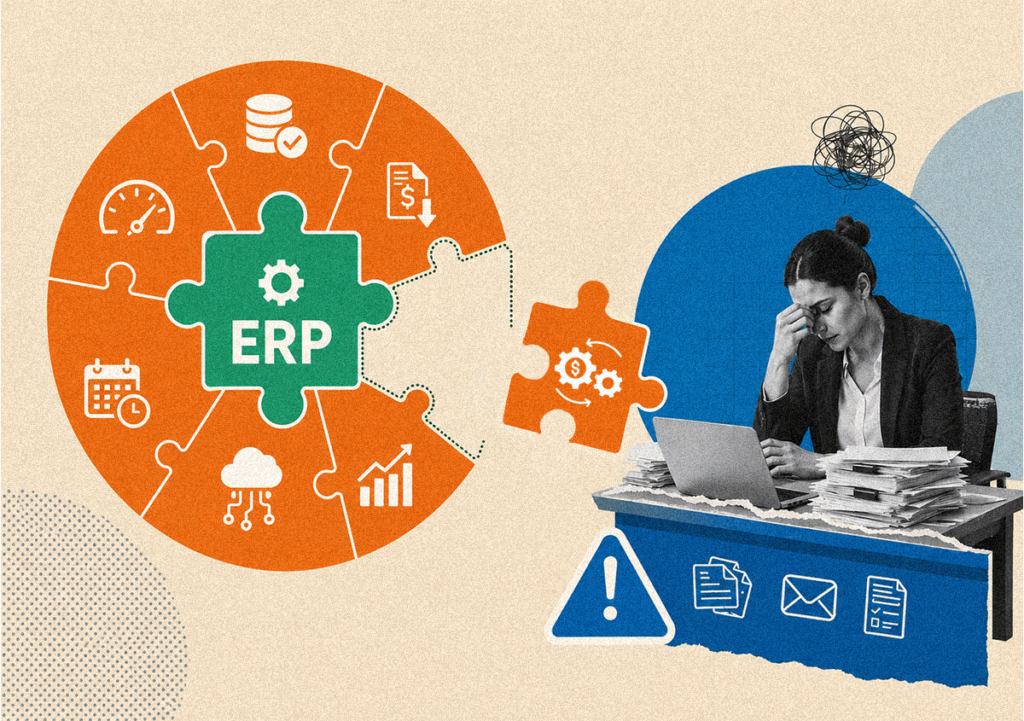
2. Ignoring the ERP “Handshake”
Your automated AP software should be best friends with your ERP. If they aren’t “talking” in real-time, your team will end up manually re-keying data between systems, which introduces a high risk of data entry errors. This negates the AP automation benefits you signed up for and leaves your financial reporting perpetually out of sync. Mordor Intelligence notes that seamless ERP integration is now a primary driver for the $6.94 billion AP market in 2026.
- How to avoid it: Before signing a contract, verify the accounts payable automation vendor has pre-built, robust APIs for your specific ERP. If the integration feels like a “workaround” or requires custom code every time you update your systems, walk away.
3. Relying on “Dumb” OCR
Old-school Optical Character Recognition (OCR) is like a bad pair of glasses – it sees things, but it doesn’t always understand them. If your automated accounts payable system requires you to fix every second invoice because it missed a line item or misread a decimal, you’ve just swapped one manual task for another. This “validation fatigue” can lead to employees bypassing the system entirely.
- How to avoid it: Choose AP automation solutions powered by AI and machine learning. Unlike basic OCR, AI-driven tools learn your supplier formats over time, reducing exception rates, which currently average 22% for laggards vs. only 9% for top performers (Ardent Partners). This ensures that the system grows smarter, and your workload grows lighter with every invoice processed.
4. Overcomplicating the Workflow
Enterprises love a good hierarchy, but building a 12-step approval process into your AP automation tools is a recipe for disaster. If the workflow is too rigid, people will find “shadow” ways to get things done outside the system just to meet deadlines. Over-engineered processes often result in “approval paralysis,” where invoices sit in digital limbo for weeks.
- How to avoid it: Use the implementation phase to “audit” your current process. Simplify before you automate. The best AP automation software will allow for flexible, rule-based routing that mirrors your business logic without the clutter, ensuring that approvals move at the speed of your business rather than at the speed of bureaucracy.
5. Forgetting About the Suppliers
If your new portal is a nightmare for your vendors to use, they won’t use it. You will end up back in “Email Attachment Hell” because your suppliers find it easier to just hit ‘send’ on a PDF than to navigate a clunky interface. Research indicates that 75% of suppliers actually prefer electronic invoicing, but only if it doesn’t add an hour to their workday.
- How to avoid it: Prioritize accounts payable automation tools that offer a user-friendly supplier portal. When vendors can check their own payment status and upload documents easily, your AP team gets 50% fewer “where is my money?” phone calls, freeing them up for higher-level financial analysis.
6. Scaling Without a Strategy
A solution that works for 500 invoices a month might buckle under the weight of 5,000. Many enterprises choose automated AP software based on today’s needs without looking at tomorrow’s growth, resulting in expensive migrations or system overhauls just a year or two down the road. This lack of foresight often ignores global expansion needs like multi-currency support and local tax law compliance.
- How to avoid it: Ask about the roadmap. Ensure the accounts payable automation partner can handle increased volume and complex global compliance requirements. Ardent Partners highlights that 65% of AP teams now support broader financial forecasting. Your tool needs to provide a scalable data architecture to support those enterprise-wide insights.
7. Underestimating Change Management
The biggest “bug” in any software implementation is usually the human element. If the AP team feels the software is there to replace them rather than empower them, adoption will fail or be met with passive resistance. Without a clear internal communication plan, you risk low morale and a total loss of the efficiency gains you initially projected.
- How to avoid it: Highlight the AP automation benefits to the team early. Show them how the software removes the “grunt work” (like manual data entry, which costs $12–$15 per invoice) and lets them focus on high-value tasks like spend analysis and fraud prevention. When employees see the tool as a partner rather than a replacement, the transition becomes a shared success.
The Bottom Line
Enterprises that avoid these pitfalls see a massive payoff. We’re talking about reducing invoice processing costs from $15.00 down to as low as $2.36 (Ardent Partners). By choosing the best ap automation software and focusing on clean integration and simple workflows, you turn your AP department from a cost center into a strategic powerhouse.
FAQs
The best AP automation software for an enterprise isn't just about price; it’s about integration. Look for a solution that offers deep, native integration with your existing ERP, provides high OCR accuracy through AI, and includes a user-friendly supplier portal to ensure 100% adoption across your vendor base.
The core AP automation benefits include a significant reduction in invoice processing costs (often from $15 down to under $3 per invoice), faster approval cycles, and the elimination of manual data entry. Additionally, it provides CFOs with real-time visibility into cash flow and helps prevent costly duplicate payments or fraud.
Modern AP automation solutions use rule-based logic to automatically route invoices to the correct department or manager based on the amount, vendor, or GL code. This prevents the "bottleneck" effect common in manual systems and ensures that approvals move quickly without needing constant human follow-up.
Yes, a high-quality automated accounts payable system is designed to act as an extension of your ERP (like SAP*, Oracle*, or Microsoft Dynamics*). By using API-level connections, the system ensures that data flows seamlessly between your AP tools and your general ledger, keeping your financial records accurate in real-time.
While many fear a year-long rollout, most modern accounts payable automation tools can be implemented within 30 to 60 days. The key to a smooth transition is choosing AP automation tools that offer robust support and training to help your team move away from manual habits and toward a fully automated AP software environment.