AI Receipt Capture and OCR in Expense Management: What Actually Gets Automated in 2027 (and What Still Needs a Human)
Contents
- 1. Why receipt scanning still matters in AI expense management
- 2. How OCR receipt scanning and AI actually work together
- 3. What AI expense management automates in 2027, field by field
- 4. Where receipt scanning still breaks (and why it matters for audit)
- 5. How to evaluate a receipt scanning app in expense management software
- 6. From receipt scanning to audited reports: how ExpenseAnywhere approaches it
- 7. FAQs
- 8. Share:
- 9. Recent Post
- 10. 2-Way vs. 3-Way vs. 4-Way PO Matching: Eliminating AP Invoice Bottlenecks
- 11. Global Employee Reimbursement: Managing Multi-Currency Payouts and Cross-Border Tax Rules
- 12. Preventing Expense Fraud: How Real-Time Policy Engines Catch Violations Pre-Submission
Why receipt scanning still matters in AI expense management
Somewhere in your company right now, a sales director is emptying a jacket pocket onto a hotel desk. Out come a crumpled taxi slip, a faded thermal receipt from an airport café, and a dinner bill half-written in another language. Every one of them has to become a clean, coded, policy-checked line on an expense report. Most finance teams still pay a person to make that happen.
The pile is getting bigger. The Global Business Travel Association expects business travel spending to reach a record $1.71 trillion in 2026, up 7.2% from 2025. Each of those trips turns into receipts.
The question finance heads now ask is simple: which travel and expense systems actually automate receipt capture with OCR and AI, and how much? Vendors say, “fully automated.” Controllers say, “I still fix half of these by hand.” Both are partly right.
This guide splits the hype from the reality. It covers how a modern receipt scanning app reads a receipt, which fields AI expense management handles on its own in 2027, which still need a human, and how to test a receipt scanning app before you sign.
How OCR receipt scanning and AI actually work together
OCR and AI are two different jobs, and most confusion starts when people treat them as one. OCR (optical character recognition) turns pixels into text. AI works out what that text means. A receipt scanning app that only does OCR gives you a block of words. One that adds AI gives you an expense.
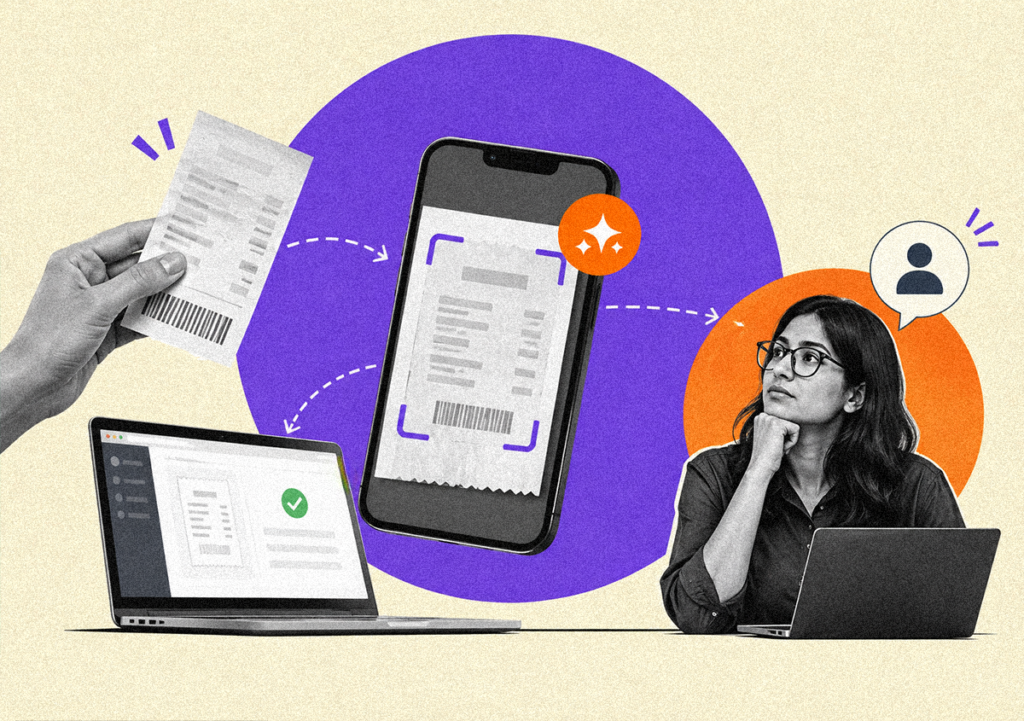
Here is what happens in the few seconds after an employee snaps a photo:
- Image clean-up. The app straightens the photo, sharpens it, and boosts contrast so faded ink can be read.
- OCR receipt scanning. Characters are pulled off the image: “TOTAL 84.60”, “03/11”, “VAT 20%”.
- Field extraction. AI decides which number is the total, which is tax, and which is the tip, even when the layout is new.
- The merchant is matched to a category (a hotel is lodging, not “miscellaneous”), currency is converted, and the date is normalized.
- The receipt is paired with the card transaction or out-of-pocket claim it belongs to.
- Policy and audit checks. The line is tested against limits, per diem rates, duplicates, and required fields before anyone approves it.
Steps 1 and 2 are mature technology. Steps 3 to 6 separate a basic receipt scanning app from real expense report automation, and that is where vendors differ most.
Read: How Do Companies Automate Expense Reporting?
What AI expense management automates in 2027, field by field
In a well-built system, almost every field on a standard receipt is now captured without a human. Judgment calls still need a person. The table below shows where the line sits today.
|
Receipt field or task |
Automated by OCR + AI? |
When a human still steps in |
|
Merchant name |
Yes |
Franchise or parent-company names that differ from the storefront |
|
Transaction date |
Yes |
Handwritten dates, or receipts printed days after the purchase |
|
Total amount |
Yes |
Totals overwritten by hand, or split bills |
|
Tax / VAT amount |
Yes, on standard formats |
Mixed VAT rates on one bill, or foreign tax rules |
|
Tip / gratuity |
Mostly |
Tip written in pen on a signed slip |
|
Currency and FX conversion |
Yes |
Cash bought at a non-standard rate |
|
Expense category / GL code |
Yes, with learning |
New merchant types; mixed purchases (supplies plus a personal item) |
|
Card match |
Yes |
Pre-authorization holds that settle for a different amount |
|
Duplicate detection |
Yes |
Two genuinely separate meals at the same restaurant on the same day |
|
Policy limit checks |
Yes |
Approved exceptions such as a CEO-cleared upgrade |
|
Business purpose and attendees |
Partly (suggested) |
Always confirmed by the employee: AI can’t know why you met |
|
Itemized lodging folio |
Yes, line by line |
Room-service items that blur personal and business |
The pattern is clear. AI expense management handles reading and checking. Humans still own intent and exceptions. A receipt scanning app that claims to remove humans from business purpose is overselling. One that still asks a person to type the total is underdelivering.
Where receipt scanning still breaks (and why it matters for audit)
No receipt scanning app is perfect. The failures are predictable, so your process can plan for them.
Faded thermal paper and bad photos
Thermal receipts fade within months, faster in a hot car or a wallet. A photo taken at an angle under a restaurant’s dim lights loses characters. The fix is behavioral as much as technical: capture the receipt at the moment of purchase, not at month-end.
Handwriting and multilingual receipts
Printed text in major languages is largely solved. Handwritten taxi chits and local-language invoices from smaller markets are not. Good systems flag low-confidence fields instead of guessing quietly. That flag matters more than the accuracy claim on the vendor’s website.
Fake and altered receipts
This is the uncomfortable one. The ACFE’s Occupational Fraud 2026: A Report to the Nations found that fraudsters created fake physical documents in 39% of cases and altered physical documents in 33%. Generative AI has made a convincing fake receipt a 30-second job. OCR reads a fake receipt as happily as a real one. Catching fakes needs checks that go beyond reading: matching against card data, spotting duplicate images and metadata, and comparing amounts to merchant norms.
The IRS still sets the floor
Under IRS Publication 463, documentary evidence is required for lodging at any amount and for most other travel expenses of $75 or more. It must show the amount, date, place, and the essential character of the expense. If your OCR receipt scanning drops the merchant address or the date, the record may not hold up in an audit, however fast it was captured.
How to evaluate a receipt scanning app in expense management software
Finance teams are no longer asking whether to use AI. Gartner’s 2025 AI in Finance survey found 59% of finance leaders already use AI in their function, roughly level with 58% in 2024. The question is which tools earn their place. A vendor demo with a crisp, well-lit receipt proves nothing. Bring your own mess and ask these six questions:
- “Show me a faded receipt, a handwritten one, and a foreign-language one.” Use your own receipts, not theirs.
- “What happens when the AI isn’t sure?” You want confidence flags and a short review queue, not silent guesses.
- “Does the receipt scanning app match to card data automatically?” Reading a receipt is half the job. Pairing it with the transaction is the other half.
- “Which checks run before approval?” Duplicates, policy limits, per diem rates, and missing-receipt rules should run before a manager sees the report, not after.
- “How does it learn our categories?” Ask how GL coding improves after corrections, and whether that learning stays within your company.
- “Where does an auditor see the original image?” Every line should link back to the source receipt, with a record of who changed what.
If a vendor can’t answer the fourth question, you’re buying a receipt scanning app, not expense report automation. That gap shows up later as manual audit work.
Read: What Features Should I Look for in an Expense Management Software?
From receipt scanning to audited reports: how ExpenseAnywhere approaches it
ExpenseAnywhere was built around one idea: Completely Touchless. Audited Reports Delivered in Seconds. In practice, the receipt scanning app is only the first step of an audit pipeline, not the product itself:
- Snap and walk away. OCR and AI read the receipt and build the expense line. There are no forms to fill in. Even the bad, faded, and distorted receipts are also captured with 100% accuracy.
- Auto-merge. Card charges and out-of-pocket expenses are matched to their receipts with no manual pairing.
- Audit before approval. Policy limits, per diem rates, duplicates, and required fields are checked the moment the line is created. Exceptions flag themselves.
- Fully audited output. The approver gets a report that has already been checked, with every line linked to its source image.
The results show up in the numbers. Across New York State departments and U.S. Department of Energy national laboratories, when using ExpenseAnywhere, agencies reported 40-60% less manual processing, 50%+ faster reimbursement, and 90-95% policy compliance. Results vary with size, policy, and process.
The takeaway for any finance head: judge AI expense management by what reaches the approver’s screen, not by the OCR accuracy figure on a slide.
FAQs
The best receipt scanning app for a business is one that does more than read text. It should match each receipt to card data, check it against policy and per diem rules, flag duplicates, and keep the original image for audit. A standalone scanner that only produces text still leaves your finance team doing the checking.
OCR receipt scanning is very reliable on clear, printed receipts in major languages. Accuracy drops on faded thermal paper, handwriting, and some local-language formats. Look for a system that flags low-confidence fields for review instead of guessing.
Partly. OCR alone can't tell a fake from a real receipt. AI expense management catches more by cross-checking card transactions, spotting duplicate or reused images, and flagging amounts that don't fit the merchant. Keep a human review step for flagged items.
Yes, as long as the record shows the amount, date, place, and business nature of the expense, as IRS Publication 463 requires. Lodging always needs documentary evidence. Most other travel expenses need it at $75 or more.
A receipt scanning app captures data from a receipt. Expense report automation builds the full report: capture, categorization, card matching, policy checks, and approval routing. Scanning is one step; automation is the whole workflow, ending in a report that is ready to approve.
Share:
Recent Post


Know about the latest happenings in the fintech automation.
Click below to subscribe to our newsletter!
-
Near-Touchless
Operation - One-Click Fully Audited Reports
-
Seamless ERP & TMC
Integrations
-
Automated 2/3/4-Way PO
Matching - Effortless Vendor Onboarding
-
Globally-Accepted Smart
Prepaid Cards